
September 12, 2008
Wireless networks and inter office systems

Wireless networks and inter office systems are rapidly growing in business and companies all over. The convenience of these systems makes it easier to deliver messages world wide from office to office as well as connecting all your computers to one another. Let's take a look at wireless networks and inter office systems.
A wireless network uses radio waves, just like cell phones, televisions and radios do. Here is how a wireless network functions:
A computer's wireless adapter translates the data into a radio signal and then the antenna transmits it. A wireless router receives the signal and then decodes it. It then sends the information to the internet using an Ethernet wired connection.
The best part of a wireless network is if you already have several computers networked in your office, then you can create a wireless network with a wireless access point. If you have several computers that are not networked, or if you want to replace your Ethernet network, then all you are going to need is a wireless router.
A wireless router is there to help you to charge wireless signals to connect your computers to one another. This works for a printer and even the internet. Most routers cover about 100 feet in all directions. If you have a large office you can buy range extenders or repeaters to increase the range of the router.Many people user wireless networking to connect computers in there home. There are many cities that use this technology to provide a cheaper internet access to its users.
Continue reading "Wireless networks and inter office systems"September 11, 2008
Touch screen monitors

A touch screen is a device that allows users to operate a PC by touching the display screen. Touch input is fitting for a wide variety of computing applications. A touch screen can be used with most PC systems as easily as other input devices such as touch pads. Touch screen monitors have grown to be not only highly accessible, but also very convenient.
How does it work?
A touch screen has three main parts: a touch sensor, a controller, and a software driver. The touch screen is an input device, so it needs to be joined with a display and a PC or other device to make a complete touch system. Here are the main functions of the touch sensor, a controller, and software driver:
A touch screen sensor is a clear glass panel with a touch response surface. The touch sensor or panel is placed over a display screen so that the responsive area of the panel covers the viewable area of the screen. There are several different touch sensor technologies on the market and each use a different method to detect touch input.
The controller is a small PC card that connects between the touch sensor and the PC. It takes the information from the touch sensor and translates it into information that the PC can understand.
September 10, 2008
Bluetooth technology considerations

Bluetooth technology has changed talking on the phone as we know it. It is much more convenient and safer when using Bluetooth devices. If you would like to have technology you can trust and is convenient for everyday use, especially while driving, then look at some of Bluetooth's technology considerations.
The Bluetooth name comes from a 10th century Danish King, Harald Bluetooth, who reigned from 940 to 985. King Bluetooth was the one who unified Denmark and brought order to the country. The symbolic nature of this is what led the maker of Bluetooth use the Bluetooth name.
There are many advantages when considering using Bluetooth technology:
It uses low energy consumption
Bluetooth technology doesn't require large amounts of power. By keeping the transmission power to a low setting, 1 milliwatt, Bluetooth is great for mobile battery operated devices.As a result, the technology requires little energy and will therefore use less battery or electrical power. Obviously, this is a great benefit for mobile devices because Bluetooth won't drain the life of your device's battery.
September9, 2008
Why Zune is better than iPod for your business

There is a lot of controversy when it comes to what is better the Zune or the iPod. Depending on whom you are and what you are using each one for might help you to lean more towards one then the other. If you are thinking about getting a Zune or an iPod for your business here are some reasons why Zune is better than iPod.
The first reason is that the Zune has a bigger screen. When you are working on different projects and are on the go you will want to be able to see exactly what you are doing. The Zune screen is 3 inches and the iPod's screen is only 2 ½ inches. Which might not seem like that big of a difference but when you compare something that small any bigger you can get the better.
The second reason is that it has built in WIFI which is a great benefit because if you are needing more information for a presentation you can just log on from your zoom surf the internet and find what you are looking for and add it to your presentation that you probably already have on your Zune. You can also get business updates all day long so that you can keep up to date with the business world with out even making an effort. It is also easier to get forums as well as lectures that you might need instead of having to get them off of your computer and then downloading them to your media player.
Continue reading "Why Zune is better than iPod for your business"September8, 2008
Uses of MP3 technology for your business

There is a lot of different technology out there these days that will help your business. One piece of technology that is becoming more and more popular is the use of MP3 technology. If you have heard of MP3 technology but don't know how it can apply to your business, here are some uses of MP3 technology for your business.
The first thing is that you will be able to do trainings that will be more cost effective. It is more cost effective to make your own training videos by using software that you can download for free or for a very minimal cost instead of paying for some one else to make your training videos for your business.
The second thing is that if you have seminars or different meetings that you want to broadcast to other offices or employees that were not able to attend certain events you can put them on your website or send through e-mail where your employees can download them and put them on their own MP3 players and listen to what was missed. This is a great way to keep your employees up to date. This is also helpful because your employees can reference back to their MP3 players if they have any questions or want to go over the information again.
Continue reading "Uses of MP3 technology for your business"September5, 2008
Top technology for small business
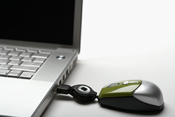
There are a lot of different things that you can do to help improve your small business. One way that you can improve your small business is by making sure that you have the technology that is needed to run your small business. If you are wondering what type of technology you should have for your small business here is some of the top technology for small business to give you an idea of what is out there.
The first thing is a laptop. A lap top is a great thing to have because even if you are on the go you will still be able to work on your computer and put in things that need to be done instead of having to try to remember everything that you need to do when you get back to the office. A lap top is also a great thing to have if you have different presentations that you are showing to different clients because you can have everything ready to go and then all you have to do is plug in the lap top and go from there. Where as if you have to rely on using your clients equipments they might not have the media software you need to play your presentation.
Continue reading "Top technology for small business"September4, 2008
The benefits of an online meeting, and how to set one up

There are so many different things that you can do for your business to make them better. One thing that may help benefit your business is having online meetings instead of making everyone come into the office for a staff meeting. If you have heard of this but are not quite sure of how it works, here are just a few of the benefits of an online meeting, and how to set on up.
The first thing is online meetings are great because you might get more of a turn out. For example a lot of staff meetings are held once and then everyone that cannot attend is left to read the minutes at a later date. Most people might not even read the minutes or if they do they might just glance over them and not really get anything out of the meeting at all. Because of this if you set a time that works for most people to go online then you will be able to have more participants and the ones that still can't attend can have the chance at a later date to watch the meeting.
Continue reading "The benefits of an online meeting, and how to set one up"September3, 2008
Leasing versus buying your technology

There are a lot of companies out there that are asking the same question, are it better to lease your technology or is it better to buy you technology? Depending on what type of company you are will play a big factor in your answer. Here is some information that will help you look at both sides of leasing versus buying your technology which might help you to decide for yourself which will work our better for your company.
The first thing to take into consideration is the cost of leasing versus buying. Depending on what type of technology you want will depend on the price. For example if you are looking at buying technology that is going to be rapidly changing or is always updating you might want to look into leasing so that you are always up to date with the current technology without having to continue paying the cost every so often to update it. But if it is technology that your company needs to get it up and running and you are not planning on updating it for at least a couple of years you might want to look at buying it so that you have it on hand for when ever you need it and don't have to worry about re leasing it over and over.
Continue reading "Leasing versus buying your technology"September2, 2008
How to create a Webinar

There are a lot of different things that might help you to promote your business. A lot of people do advertising not only in different magazines or newspapers but also through the web and personal websites. Another way people are promoting their businesses is through Webinars. A Webinar is also a great thing to help connect you with your employees or other businesses. If you are wondering what exactly a webinar is it is a lecture or a workshop that you do over the web instead of just in a class. Here are some tips on how to create a Webinar.
The first tip is to get a lay out put together. You will want to make sure that you include what type of budget you are going to have along with a list of potential speakers. You will also want to include some type of schedule for example if you are wanting to have a speaker but then have some type of activity to go along with what the speaker talked about or a presentation on how something is suppose to work.
Continue reading "How to create a Webinar"September1, 2008
Great hosting and web building software

There are a lot of great things that you can do for your business. One thing that can be really helpful is to have a website. If you are looking into hosting a web site or building a website you might want to do some research. Here is some information on great hosting and web building software to help you get a better idea of what to look for.
First off you will want to know what hosting and web building are so that you can get an idea of what type of software you will want. Web hosting is where you actually have the server that you back up all of your information on. This can be expensive depending on the type of equipment your business already has. For example you are going to need to have a powerful server and not just some old pc that you have lying around. The next thing you will want to have is the right kind of software to host your website. You don't need to buy the most expensive software out there, but you will want to spend an adequate amount of money for software that is going to have what your company needs. You will also need to take into consideration when you are looking for different software that you are also going to have the cost of licensing your server software that is going to cost you more money. Usually you will find that server licenses are much higher than just having a client license where you use some one else's server to back your information on. You may also want to look closely when looking at different software at the number of users that can be on the server. This might be important if you have a large company that a lot of people will be backing up information on the server. You will also want to make sure that you check out the different security options that are included in each of the software. The reason for this is you want to make sure that your information stays classified. You may also want to consider software that includes 24 hour support. The reason for this is so if your server goes down or if you have problems with it you will be able to contact some one immediately so you don't risk losing vital information.
Continue reading "Great hosting and web building software"