
December 31, 2008
How do I generate a SSH public key

If you are looking at accessing a computer over a secure channel you may need to generate a SSH public key. SSH uses a private/public key pair for identification purposes. The key pair is generated on your local machine or the client while the public key is then copied to the remote server or the host. The use of a SSH public key is a very secure way of administering a server.
Since SSH public keys are a good idea for security how then do you generate a SSH public key?
Here are some basic direction on how to generate a SSH public key.
The best machines for fast data digitization
 If you are looking to digitize lots of data, there are a number of different ways that you can do it.More and more digital imaging solutions are being produced each year.The only trick for you is to determine what your particular needs are and then decide which of these different digital imaging solutions is best for your company.
December 30, 2008
how do I find out who owns an ip address

The internet is a fascinating and important part of our lives. Most of us email, blog, write, or calculate on the internet or on our computers. Much of the communication in today's highly technological world is done on the internet. We need to understand how the internet works in order to function in the business world. Many people's social lives are also highly connected to the internet. If you aren't online you probably are considered a little old fashioned.
Given the obvious importance of the internet, you will need to find ways to learn about the parts and functions of the system. This can be very difficult because most of us are not very technologically savvy. We need someone to explain every little detail, or atleast to simplify everything. One good way to think about issues with the internet is in little pieces. If you can learn a small thing everyday about the internet you can start to tackle it. While it isn't necessary for all of us to learn everything about the net, it is absolutely true that the more you know the better youa re.
Continue reading "how do I find out who owns an ip address"Using IP addresses to track individuals
 Can I get someone's name and address from their IP address?This is a great question.There are a lot of myths and rumors that swirl around the Internet about IP addresses.I read a question on one message board on which a very, very concerned parent asked about IP addresses and stalkers.Apparently, this poor woman's kid had posted something rather mean and unflattering on someone else's blog or something like that.The owner of the website then replied to the kid.He told this kid that he had his IP address, and so he now knew his exact home address, his phone number, his name, his social security number, had access to credit cards and bank accounts, knew his work address, and basically every single confidential and private piece of information that you could know about a person and, of course, that he was going to come and get this poor kid.
December 29, 2008
How do I extend the reach of my wireless network

If you are getting a weak signal from your wireless network and are having problems being dropped from the internet or a slow running internet than it most likely means that you need to rethink your wireless connection. Improving the signal you get for your wireless network is the best way to extend the reach of your wireless network. Here are some tips to have your wireless connection work the way you need and want it to.
Continue reading "How do I extend the reach of my wireless network "How to troubleshoot problems with USB devices
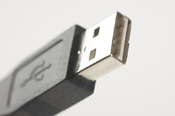 Why won't my system recognize my usb device?This is a great question.It's a great question because it happens all the time-your computer is on, you're ready to work, you plug in your usb device, and.nothing.It was just working!What's going on?Why is it that all of a sudden nothing is showing up?You know that your computer can recognize it, but why won't it?In fact, just as I was starting to write this article, my computer decided that it no longer wanted to recognize the usb device that I had been using for the last couple hours, that was still plugged in to the computer, but I guess that the computer had had enough of usb devices for the day.
December 28, 2008
how do I delete my hotmail account

Many of us use the internet for all sorts of things. We like to use the internet to shop, surf, entertain ourselves, and study. It is an excellent tool that many of us can use without too much difficulty. Most of us like to use the internet to communicate. We write blogs and send emails. If you are like most people who use the internet to communicate, you probably send several emails a day. You know that you need some sort of familiarity with the way your internet service works. Wether it is Yahoo, Google, or AOL, you need to know what you are doing when you email. But let's say that you don't want to use your email server anymore.
There might be a number of reasons why you would want to do this. You might be tired of a particular email service provider. You migth be tired of all that spam email you recieve. There are a number of different reasons why you might want to get rid of a particular email service. If you use hotmail, as many people do, there are a few steps you will need to follow in order to delete your account. Hotmail is a good email provider, but like so many of them, it can run into problems, and it might be understandable if you want to close your account and open a different one with another email service. Here are the steps for closing a hotmail email account:
Continue reading "how do I delete my hotmail account"December 27, 2008
how do I delete my google search history

The internet is one of the best things to come along in quite some time. If you are like most of us you know how useful this thing is, how absolutely important it is to business and to many people's personal lives. We shop online, send emails, and write blogs. Many of us like to spend our free time just surfing around the web in order to find some sort of ammusing video or piece of interesting information. Many of us like to get rid of extra time at work while surfing the web. We spend hours a day looking at web pages. There is nothing wrong with this as long as it doesn't affect our lives in a negative way.
So while it can be interesting and fun to find lots of interesting websites, many of us would not like other people to know which sites we look at. Just as you might not want others to know what TV shows you watch, what food you eat, what radio stations you listen to, and who you call on the phone, you might also not want them know which email sites you look at. Naturally you can only figure out which sites people look at by going to their computer and looking at something called a browser history. A browser historykeeps track of all the different sites you have visited while surfing the net. It keeps track of the actual site address for each one. So how will you get rid of this trail of information left everytime you look at a website on the internet? And how will you do so if you use google, one of the most popular internet search engines?
Continue reading "how do I delete my google search history"December 26, 2008
How to repair problems with Outlook email configuration
 Why is Outlook sending email using the wrong account, and how do I fix it?This is a great question, because this is an especially vexing and annoying problem that Outlook has.So here's the situation.You've set up Outlook and, because it's oh ever so helpful and convenient, you've configured several different email accounts to run through it.You can basically set up however many you want.Then Outlook will send email through a specific account that you tell it to.So let's say that you have one main email account that you want to use, or maybe even you have a main email account and then you have another account that you use when you post on blogs and message boards and things like that.You don't want to use your main personal account when you post on blogs and message boards because sometimes those email addresses can be picked up by spammer and who knows who else.You don't want any of that spam or junk mail coming to your regular account.So, you think that you have everything all worked out, Outlook is managing and handling all of your different email accounts just the way that you want it to because, hey, you're not getting any message that it's having trouble and problems doing what you tell it to.And then you notice that it's not working.Your main personal email account is the one showing up when you post on blogs and message boards.Or let's say that you are sending emails to people and horrifically enough, your terrifying ex-girlfriend's name and email account are the ones showing up as the sender because she used to live with you and you two shared a computer.No wonder nobody's writing you back!They all think that your ex is hunting them down!
how do I delete my browsing history

We all love the internet. It is such a cool toy for surfing and getting information. Conversely, it is also a remarkable business machine that can allow us to make millions of dollars. The internet is here to stay and there is nothing that we can do about it. With so much information coming over the net, how do you keep yourself safe? You share very personal information when you send emails or go to certain websites. You would not want someone knowing what books you read or who you call on the phone. You would not want anyone to know what television shows you watch or what radio stations you listen to. The world wide web creates similar dangers.
There is a record on your internet server that keeps track of all the websites you visit. This can be a great tool because it allows you to go back and find the sites you have recently visited. If you want to find the cool antique car site you looked at three hourse ago you can do so easily. The only problem is that anyone else with accsess to your computer can see the same thing. They can also go back and find all the sites you visited and look at what you have been looking at. How does that make you feel? For some of us this does not matter, but there might be something private you do not want other people to know about. Because this is only your business, and if you do not want anyone else knowing about what sites you visit, you need to learn how to eliminate your browsing history.
Continue reading "how do I delete my browsing history"December 25, 2008
how do I delete cookies
Most of us love the internet or need it in order to do our jobs. We like to surf around and look at different sites or we send emails and communicate with friends and family. The internet is a great communication tool-no doubt about it. It is difficult to imagine what we would do with out this technological marvel. How would we function? It is nice to know that we do not need to ask these sorts of questions. The internet is here to stay and we will continue to use it as long as we need to. However, there are certain problems associated with the net. Besides the problems of waisted time and productivity, which has become a particular problem in recent years, there are other new issues. Identity theft is another serious issue, with hackers able to break into machines and get information they want. Another issue that has arisen is that of cookies-and we don't mean the stuff that comes from doe and that has chocolate chips.
Continue reading "how do I delete cookies"How to choose the best online data backup services for your security and storage needs
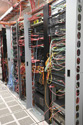 The topic of this article is whether online backup services are right for you.The initial answer that I'm going to give is that online backup services are a good idea for anyone.Here are some reasons why online backup services are a good idea for you.
First let's go through what exactly online backup services are.
December 24, 2008
What to do when your computer video won't power up
Perhaps you have a big computer project due or simply need to sit down and get caught up on paying bills.You turn on your computer and the worse happens your computer video won't power up.While your first instinct may be to panic there are things to do if your computer displays no video.This can affect virtually every type of computer both Portable Computers and Desktop Computers.But the bottom line is if your computer won't display video, you will have to troubleshoot it. Please keep in mind that although your computer may display similar symptoms that prevent it from turning on, this article discusses what to do only if the computer won't display video, meaning the following symptoms happen when you press the power button:
-
- You may hear a startup chime
- - You may hear fan or drive noise
- - You may see the power light on the computer light up
If your computer does not turn on, when you press the power button:
Continue reading "What to do when your computer video won't power up"How to choose between data warehouses
 The topic of this article is how you can and should choose your data warehouse supplier.As the years go by, there is more and more data that you have to deal with.Experts have called this era a time of data explosion.You don't have to deal with just the data that is coming in from your suppliers, from your customers, from your employees, and more, but also data that you have to collect to ensure that you are in compliance with a number of difference legislative measures, regulations, and more.There's data that you need so that you can adequately ensure that you can properly use various performance optimization softwares and programs, and other things like that.You have to bring together a whole lot of data from a whole lot of different places, and then you have to disperse that data and that information to a whole lot of different places.The volume of data that you have is increasing exponentially every year.If you want to stay on top of your game, and if you want to remain competitive in your field and your industry, then you need the most practical and efficient way to deal with your data.
December 23, 2008
What is svchost and what should I do about it?

If you are puzzled about why there are nearly a dozen processes running with the name svchost.exe. and what you should do about them this article is for you.You may be surprised to see all of these processes running and even more frustrated when you realize you can't kill them, and you don't remember starting them. This leaves the question-What is svchost and what should I do about it? According to Microsoft the definition is: "svchost.exe is a generic host process name for services that run from dynamic-link libraries".In simpler terms-Microsoft started moving all of the functionality from internal Windows services into .dll files instead of .exe files. From only a programming perspective this makes more sense for reusability but the problem arose that you cannot launch a .dll file directly from Windows.The program has to be loaded up from a running executable (.exe). Thus the svchost.exe process was born.
But this still does not explain why there are so many svchost.exes running.But if you have ever taken a look at the Services section in the control panel you might notice that there are a lot of services required by Windows. If every single service that was needed ran under a single svchost.exe instance, a failure in one might bring down all of Windows.So because of this they are separated out.The services are organized into logical groups, and then a single svchost.exe instance is created for each group. For instance, one svchost.exe instance runs the 3 services that are related to the firewall and then another svchost.exe instance might run all the services related to the user interface etc.
Continue reading "What is svchost and what should I do about it?"How do I copy a VHS to DVD

If you were around in the 1980's and 1990's you have VHS tapes sitting around. These VHS tapes use to be the only way to record television shows, family moments or even the only way you could rent movies. However, in today's digital world VHS tapes are inconvenient. VHS players are even harder to come by so many people are looking at ways to convert their older VHS recordings to the new and improved DVD format. Let's take a look at one way to transfer those VHS memories onto a safer DVD format.
Look into buying a DVD recorder. This is a specifically designed device that will allow consumers to record to DVD from a VHS tape. This is great for people that don't own a computer but still want to get their VHS tapes transferred over to the DVD form. DVD recorders can normally record from analog sources that include VHS players, older video cameras or even cable television. A good DVD recorder can also record from other digital sources like camcorders or DVD players. You can also buy a DVD recorder that will record from your VHS tape straight to a DVD from the same machine.
Continue reading "How do I copy a VHS to DVD"how do I create a new hotmail address

Most people are crazy about the internet these days. We love to surf the web and check our email. There is so much great information on the web that you almost cannot afford to not be involved. There are, however, many of us who are not very involved with the internet despite its tremendous popularity over the last ten or so years. If you are one of these people who have just started learning about the internet, or if you are someone who has just decided to start emailing, you will want to know about hotmail. With so many different email servers, which one will you choose. There is Yahoo, Hotmail, AOL, and the very popular Gmail. It will be up to you to find out which one is best for you. If you have no idea then do some research to find what program will suit your needs. If, however, you choose hotmail as your email server then you will obviously need to know how to create a new account, meaning that you will need to know how to set up your new hotmail address.
Continue reading "how do I create a new hotmail address"How to block yourself from search engine results
 How do I remove myself from the search engines?First let's talk about search engines.What search engines, like Google, Yahoo, MSN, and hundreds and hundreds of other search engines do, is they go out and they search all of the billions and billions of pages of information on the Internet.And then they collect all of that information and they index it.So then what you can do is direct a search engine to search through all of its collections and all of its indices for a particular term.It will then pull up all of the pages that have a particular name in them, for instance, and will bring up the most exact hits and matches first.
December 22, 2008
How do I compress files

You have a file that you would like to send to a few friends through an email. Looking at your file you realize that it is too big to be emailed and you will need to make the file smaller if you are to send it out in an email. This is where you need to know how compress files.
File compression is widely used for reducing the overall amount of bits and bytes that are in any given file. Compressing these bits and bytes allows for your file to be sent at a faster speed or to take up a smaller amount of space on a disc. WinZip and Stuffit are the two most popular ways of compressing and then decompressing a file.
Continue reading "How do I compress files"Using video conferencing in business
 It used to be that in order to hold conferences with customers or employees, you had to fly them in and meet with them face to face. Then, with the advent of conference calling, you could bring everyone together via a speaker phone. Now, technology has made it possible for customers and clients to meet together via video, without ever leaving their respective offices. This is known as video conferencing.
December 21, 2008
How do I change my MSN password
Passwords are a way to allow only the person who is supposed to see information to be the only one to have access to it. A person's MSN password is no different. It allows people to have access to their email, MSN messenger, etc. There are a variety of safety rules when it comes to passwords such as having them be long, with capital letters and numbers, and by having them be different with each account that a person has. Passwords are very important.
Reasons you may need to change the password
One reason that people may need to change their password is because they have forgotten it. People have passwords for a lot of things. They can have passwords for their blog, to log into their computer, for their email, to log into MSN messenger, and the list goes on and on. With so many different passwords to remember, some of them being long with numbers and capital letters it can be very hard to remember a password, or even which password goes with which log it.
Continue reading "How do I change my MSN password"What is lsass.exe and what should I do about it?
Local Security Authority Subsystem Service (LSASS), is a process in Microsoft Windows operating systems that is responsible for enforcing any of the security policy on the system. It verifies users logging on to a Windows computer or server, handles any password changes, and creates access tokens. Lsass.exe (the working program of LSASS) also writes to the Windows Security Log.
Perhaps the most common and important task that lsass.exe oversees is the access to the computer or server. Lsass.exe recognizes any restrictions on access to any information on the hard drive or the server, and will make sure that only recognized access codes or other login credentials will allow persons to interact with those data files. This means that lsass.exe comes into play each time someone logs into the server, or uses a desktop computer and gains access to password protected files.Forcible termination of the lsass.exe will result in the Welcome screen losing its accounts. Lsass.exe can also allow administrators or any user that is granted the proper privileges to make changes and updates to passwords and user profiles. For example, it is through lsass.exe that any authorized personnel may delete, change, or create new passwords and user files. Any and all changes that are made are noted in the Windows Security Log.This will prompt a restart of the machine; therefore lsass.exe should not be considered the Sasser worm.
Continue reading " What is lsass.exe and what should I do about it?"December 20, 2008
How to delete Google search bar history on windows
Many people have a huge surprise when they find out that Google has been tracking their searches since they created an account with Google. Many people are confused as they think clearing the search history from their browser will erase past searches, only later to find out that Google's Search History Service also keeps a history of searches in their Google account.If you are looking to clean up your computer you may want to delete your Google search bar history on windows. Along with your history you may see graphs on monthly, daily and even hourly searches. If you are confused here is a breakdown of how it works. If you always stay logged on to your Google account, because you checked your GMail account or use any of Google's many services or products that tie into your Google account, your searches will be tracked. You may still be wondering how to see what your search history shows. The first thing is to determine if you are logged on.How can you tell if you are logged on?
If you have personalized your home page, or if you have not, go to Google's home page, and you will see your GMail address at the top right of the page with three links, one them being Sign Out.To locate your Search History, click on My Account, then under My Services click on Search History.You now should be able to see your entire Search History. You can select the type of searches on the left menus or by the calendar on the right or from the Older and Oldest buttons at the bottom.If you really want to see how much web surfing you have done over time click on the Trends link and you may be amazed by the level of detail of time you spend on the Internet!
Continue reading " How to delete Google search bar history on windows"How do I backup my PC
Anyone who owns a computer has heard how important it is to backup your PC otherwise known as your personal computer. When you make a backup of your PC or the files on your PC you are keeping that information safe in a place other than your computer. If your PC would ever crash or those files become corrupted the backup will help you to restore the files you need or want.
There are different ways to backup your PC. You can backup your files by burning them onto a CD or simply putting them on a memory stick. You can also backup your PC on your own time schedule. Some people backup for every file while other backup their PC on demand. No matter how or when you backup your PC it will save important information that you don't want corrupted or personal things you will want to save like family pictures.
Every operating system has a way to back up your computer. It doesn't matter whether you have Windows, Linux, or a Mac you will be able to find information on the internet on how to back up each operating system. There is also plenty of software available that is specifically made for backup on a PC. Most of this software will guide you through the process of backing up your data and other pertinent information. There is free software you can use for backup and some you can pay for.
Continue reading "How do I backup my PC"December 19, 2008
how can I send and receive faxes through my pc

Computers are wonderful communication tools. They allow us to use the internet and send emails, write blogs, and instant message. We can write clear, easy to read documents on our computers. They are perfect tools for reaching someone else or conducting business. With so many options for communication through your computer, how will you possibly figure out how to take advantage of all these options? Just learning to email can be a bit of a strain. Blogging is another matter, and instant messager is its own system. But what about faxing? Don't you need a huge fax machine to send or receive a fax? Faxing seems like a bit of a chore-something only top executives do who have a big office. Could you possibly send faxes? You probably have found occasions when you needed to send one and did not have access to a maching.In this age of technological miracles you should never doubt in the possiblity of doing almost everything with your computer.
You can in fact send and receive faxes through your pc. But how is this possible? Does it require a lengthy training period with several scientists in lab coats telling you what to do. Will you need a separate college degree to send a fax from your pc? Absolutely not. As with most things on your computer, you need someone to show you how to do something, but you don't need to gain a whole new education to figure out how to send a fax from a pc. Here are a few basic instructions for faxing from your pc?
Continue reading " how can I send and receive faxes through my pc"How to access your hotmail remotely

Many computer users wonder if they can access their electronic mail (email) from somewhere else than their primary computer.This could be someone looking to access their work email from home or their home email from work.Or perhaps a computer user is looking to access their email from an internet café or perhaps an internet connected system at a hotel where they may be traveling.The answer is yes it is possible to remotely access your email and normally this is fairly straightforward. This article will discuss how to access your hotmail remotely.
Continue reading "How to access your hotmail remotely"Using technology to improve business
 If you have a business, or you are a manager, technology can be one of your best friends. Among other things, it has the ability to bring customers and clients together and can help you organize and prioritize your tasks, increasing efficiency and overall production.
December 18, 2008
How can I download Windows XP
To operate a computer a person will need to have an operating system. One of the most popular operating systems is Microsoft Windows XP. But when someone buys a computer they may have to also get their operating system. How do they go about getting and downloading Microsoft Windows XP is they choose this particular operating system? This article talks about important information concerning Microsoft Windows XP.
What is Microsoft Windows XP
Using social networking for business purposes
 Chances are, you've heard of social networking sites. Places like myspace, facebook, and LinkedIn are some of the most commonly visited sites on the web. While many people think social networking sites are limited to such things as catching up with friends or dating, there are many people who turn to social networking for business purposes.
December 17, 2008
How can I download outlook express?
Outlook Express is one of the many software programs for your computer that you can use to receive and send e-mails. You can also have more than one Outlook Express account for other people in your home or one for a home business and one for a personal account. This is one of the many reasons why millions of people like and use the Outlook Express format for email. When your Outlook Express is on the fritz it can be hard to deal with.
However, Outlook Express is not a standalone application. It is part of the Microsoft Internet Explorer pack. Specifically Outlook Express 6 is part of the Internet Explorer 6 application after Internet Explorer 7 your Outlook Express downloads are not available. So, to download Outlook Express you will need to download Internet Explorer 6 or you can download the newest version of the Microsoft email software.
Continue reading "How can I download outlook express?"Updating your office with computer filing
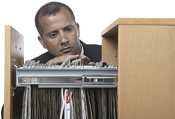 Step into any office and you'll probably notice there aren't a lot of filing cabinets around. That's because more and more businesses are updating their offices with computer filing.
Best registry cleaner

Your Windows registry is considered to be an integral part of your computer. Many people do not realize that if their computer ever freezes, crashes, shows errors, does not load applications, has a "blue screen" error, or even runs slower than before, there's a very good chance that they need their system registry cleaned. Unfortunately, fixing your registry can be a difficult task, (which should only be undertaken by a professional). It is important to know that just one tiny mistake can cause a permanent, irreparable error on your PC which would require a complete reformat.
But the good news is that you do not need to take your PC back to the store for expensive repair bills just yet!Now you can use specialized software known as "registry cleaners" which can safely detect registry errors and repair them automatically. There are several Registry Cleaner Reviews.You can consult the registry and compare products so you are sure to find the right application for you. Computer experts do recommend checking the date of the registry since new products are introduced all the time.Below you will find a review of some of the most popular registry cleaners.Here is what you need to know about finding the best registry cleaner:
December 16, 2008
What is the difference between messenger and live messenger

There are a lot of different ways to stay in touch with people through the internet. Email and MSN messenger are two of the many different ways a lot of people stay connected. MSN messenger has great features and can allow people to talk to others, send pictures, and even video to people in the next office or to people around the world. It can get confusing though, when trying to download MSN messenger. There may be downloads for MSN messenger or live messenger. A person may not know which one to download or use that will give them the most recent messenger available with the features they want in a messenger. This article will discuss the differences between messenger and live messenger.
MSN Messenger
How to delete Google history
You may be surprised to see that when you type a search into Google's search box, a list of previously searched for terms are displayed. You may find it interesting to know that these previous searches are not saved by Google, but are actually saved by your web browser through a feature called "AutoComplete".
AutoComplete is used by most of the major Web browsers, including Internet Explorer and Fire fox, to assist users in filling out web forms and performing web searches. When the AutoComplete is turned on, the browser keeps track of information that you have recently typed (such as Web addresses, form data and search queries), and attempts to anticipate what you are typing and offer possible matches.
How can I access a Remote Desktop on XP Professional
There are two versions of Windows XP, XP Professional and XP Home Edition. The two editions are a little bit different than each other. When it comes to Remote Desktop, both versions have Remote Assistance. This is used as support technology to assist the help desk or the system administrator to remotely connect to a particular desktop for troubleshooting purposes. Only XP Professional can be the server with Remote Desktop and XP Home can only act as the "client."
What is a Remote Desktop
A remote desktop may sound confusing, but the explanation of what a remote desktop actually is is actually quite simple. A remote desktop allows a person to control the entire contents of a desktop of a computer from a whole other machine. To do this a person just needs a software application. This software application turns one computer into the manager of one or several other computers.
Continue reading "How can I access a Remote Desktop on XP Professional"Should my business use Web conferencing?
These days, more and more companies are finding that web conferencing is an effective, cost-effective way to handle business. Web conferencing is a form of technology that uses an internet connection to hold group meetings or trainings in real-time via the internet.
December 15, 2008
Does Hotmail sniff emails

There are a lot of stories about information being taken from the internet. People are always hearing news about hackers taking passwords, images, financial information, et cetera from personal emails and other data being sent on the internet. This can be a very scary thought. Many people wonder if their email is safe from sniffers.
What is a sniffer
A sniffer is a device and/or program that is able to monitor data that is traveling over a network. There are some legitimate reasons to use a sniffer such as network management. Sniffers can be used to get valuable information such as passwords and user IDs. MSN Hotmail Password Recovery can be considered a sort of sniffer program. But there are of course also unauthorized sniffers. These sniffers are used to steal information from off a network and can be very dangerous to network security. The reason that sniffer programs or devices are dangerous to network security is because they are almost impossible to detect and can be placed just about anywhere. Sniffers copy the information and data without making a change to the original contents. Sniffer programs and devices are commonly used among hackers.
Continue reading "Does Hotmail sniff emails"How using limited user accounts in windows can improve your online safety
Nowadays, you can't be too safe while online. Sophisticated programs can easily enter your computer and network, harming or even erasing your files and important information without you even knowing it, often after visiting a seemingly-harmless site or downloading something you thought was safe.
December 14, 2008
Do I need a registry cleaner?
If you want your computer to run better then yes you do need a registry cleaner. Your computer will run better if you occasionally clean your Windows system registry. However, if you do not know what you are doing you should not use a registry cleaner, ever.
The Windows registry is supposed to keep track of all your Windows settings including the hardware configuration, user preferences, file association, system policies, and installed software. The Windows registry is then the database in which Windows can keep track of the relationships between the hardware, software and the operating system of your computer.
Problems with your registry can make a Windows system slower, less reliable, and unbootable. In extreme cases it can only be fixed by reinstalling the whole operating system. Because of these problems that can arise from your Windows registry it is a really good idea to have a registry cleaner.
December 13, 2008
Cleaning up your computer for better performance
If you want your computer to run as quickly and efficiently as possible, it's important to clean your computer up every once in awhile. This includes deleting old files, running virus scans, and freeing up disk space.
The following are some ways you can clean up your computer for better performance.
Install a virus checker and use it regularly.
A virus checker, such as Norton or McAfee, can keep your computer safe from viruses and other things that could harm the files and other things on your computer, increasing your computer's performance. While most of these run automatically on your computer to scan for threats and viruses, you should run a scan at least once a week.
December 12, 2008
how do I find out who owns an ip address
The internet is a fascinating and important part of our lives. Most of us email, blog, write, or calculate on the internet or on our computers. Much of the communication in today's highly technological world is done on the internet. We need to understand how the internet works in order to function in the business world. Many people's social lives are also highly connected to the internet. If you aren't online you probably are considered a little old fashioned.
Given the obvious importance of the internet, you will need to find ways to learn about the parts and functions of the system. This can be very difficult because most of us are not very technologically savvy. We need someone to explain every little detail, or atleast to simplify everything. One good way to think about issues with the internet is in little pieces. If you can learn a small thing everyday about the internet you can start to tackle it. While it isn't necessary for all of us to learn everything about the net, it is absolutely true that the more you know the better youa re.
Continue reading "how do I find out who owns an ip address"How to protect your computer from attacks
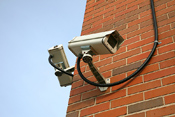 Financial statements, social security numbers, and other incriminating information that are stored on your computer could cause you a world of hurt if they were to get in the hands of hackers or the wrong people.
Can having cookies block me from reading my messages on hotmail
Just about everyone now has at least one email address. Many people have a Hotmail account for their main email address. When a person has a Hotmail email account they may encounter several questions especially if a problem arises while they are trying to read their email. One popular problem people encounter happens with cookies when they are trying to access their Hotmail account. This article will discuss what cookies are and how to deal with them when accessing Hotmail.
What is a cookie
Continue reading "Can having cookies block me from reading my messages on hotmail"December 11, 2008
How to ensure you communication technology is up to date
 Technology is constantly evolving and changing. For this reason, it can be difficult at times to stay up to date with information technology. However, staying up to date when it comes to information technology is important for a number of reasons.
December 10, 2008
How to ensure you have enough bandwidth
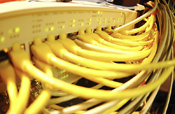 What is bandwidth?
Bandwidth, quite simply, is the amount of internet traffic, data, or information that can be sent between one location and another within any given period of time. Bandwidth, usually measured in seconds, is basically the speed of your computer. High speed internet or cable modems have more bandwidth than dial-up connections. This is why dial-up is so slow, comparatively; it cannot handle a great deal of information at once. So downloading something like a video would take much longer than it would with a connection that has more bandwidth, because dial-up only allows a small amount of data to transfer through each second.
December9, 2008
Brand name over generic technology?
 When it comes to purchasing technology for your business, it's important to get quality materials that will last a long time and perform well. After all, you don't want your speaker phone to go out in the middle of an important conference call, or your fax machine to break down when you're expecting a contract to sign.
December8, 2008
Why your business needs to use digital photography
 There are a number of reasons why you should choose digital photography as the way to improve your business' image.
December5, 2008
What role should your company fill in the virtual world?
 The virtual world is quickly becoming a large part of many businesses. The virtual world is a 3-D internet-based simulated world that allows for social networking. Many people design their virtual world after the real world with people, houses, buildings, roads, bars, amusement parks, etc.
December4, 2008
The drawbacks of digital photography for small businesses
 There are both pros and cons of digital photography.Knowing these advantages and disadvantages can help you decide whether or not you actually want a digital camera, and what the possibilities and limitations of digital photography are.
December3, 2008
The best high volume printers for business
If you want to print out around 50-150 pages per minute, you will need a high volume printer. In the past many companies only used inkjet or laser printers. While a laser printer was preferred for its large document printing. Now there are faster, more reliable printers that kick out hundreds of pages per minute. Here are a few things a good high volume printer must have:
December2, 2008
The best digital photography software for your company's needs
When you start using digital photgraphy in your business, you need to ensure that you purchase the right kind of digital photography software.There are really two important components to digital photography:the digital camera itself, and the editing software that you use to edit, store, and organize your photos.
December1, 2008
The best digital photo printers for your business
Now that almost everybody owns a digital camera, more and more people are forgetting about that unnecessary hassle of a trip to the local photo developer and instead are choosing just to print off their own photos when they want, for the size they want, and for a cheaper price.Having a good photo printer is especially important for businesses that use digital photos as a part of their busienss plan.However, how can you decide on the best software for your photos?and what about the best printer for your photo?There are so many different printers and photo software out there that are available for consumers to choose from; here are some of the best software and printers for photos that were released in 2007.